From request to forecast
You need a connection once, to set up. After that, everything travels by satellite text.
Pair your device at home
In Indra Connect, add your iPhone, Garmin inReach or ZOLEO under Profile, then Devices. It takes about a minute.
Request a forecast
Choose a waypoint or your current position, and the forecast you want. The app writes the text and opens Messages with it ready to send.
Receive one text
Indra replies with the forecast packed into a single message of up to 160 characters.
Read it offline
Paste the reply into the app. The full forecast appears with no connection and is saved to your history.
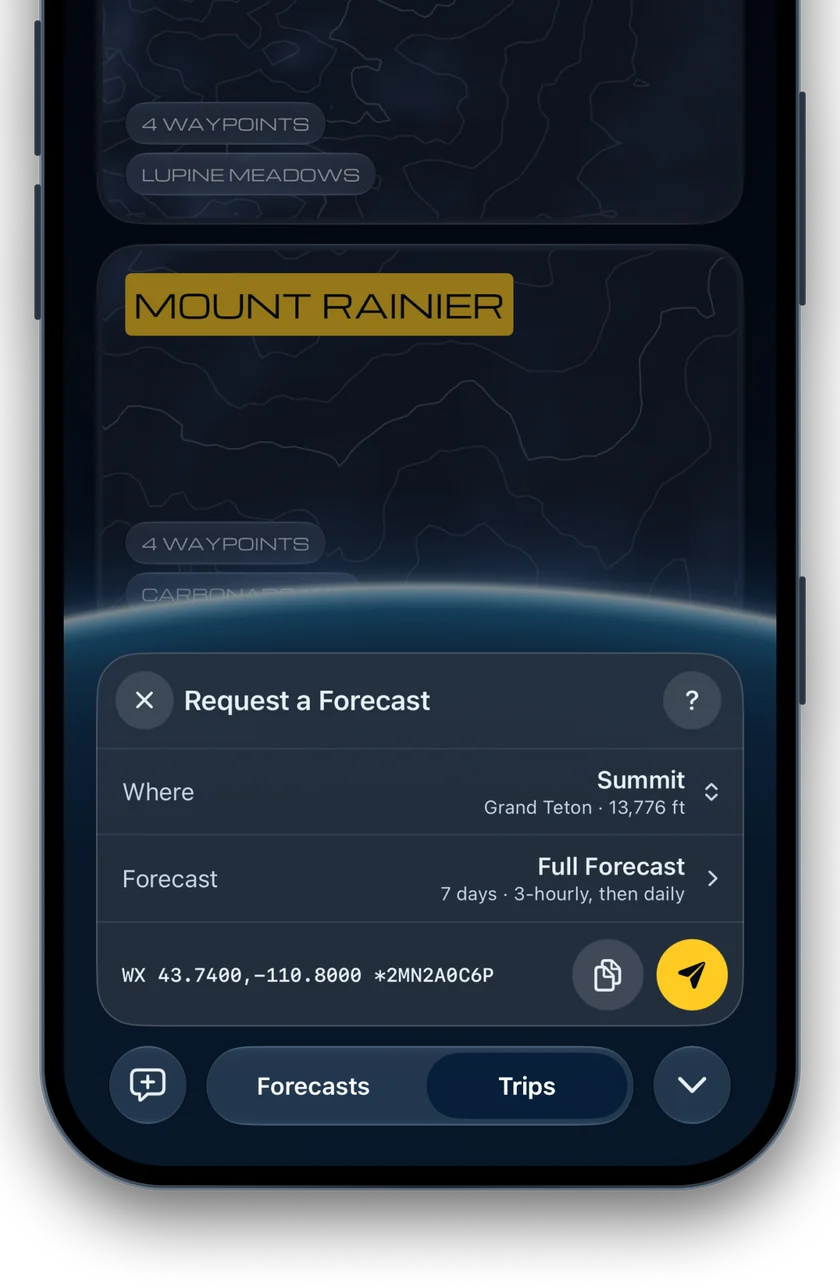
Ask for any waypoint.
Save the places on your route before you go. In the field, choose one, or use where you’re standing, and the app writes the request for you.
Using an inReach or a ZOLEO? Copy the request and send it from the device’s own messaging app.
One text out, one text back
A request is a short line of text. The reply always fits a single message.
A Full Forecast for the Grand Teton, encoded from Indra’s test weather. It is 143 characters long.
Typing a request
Where
Write latitude and longitude as decimals, or share your location from an inReach or ZOLEO. With no location, Indra uses your device’s last position from the past seven days.
Typing a request
Which forecast
Add TODAY, WINDOW, ALPINE or FULL after WX to choose a format. The words can go in any order.
Compare the forecastsTyping a request
Plain words
Add TXT and the reply arrives as text you can read on any device. A plain-text reply carries less detail than a coded one.
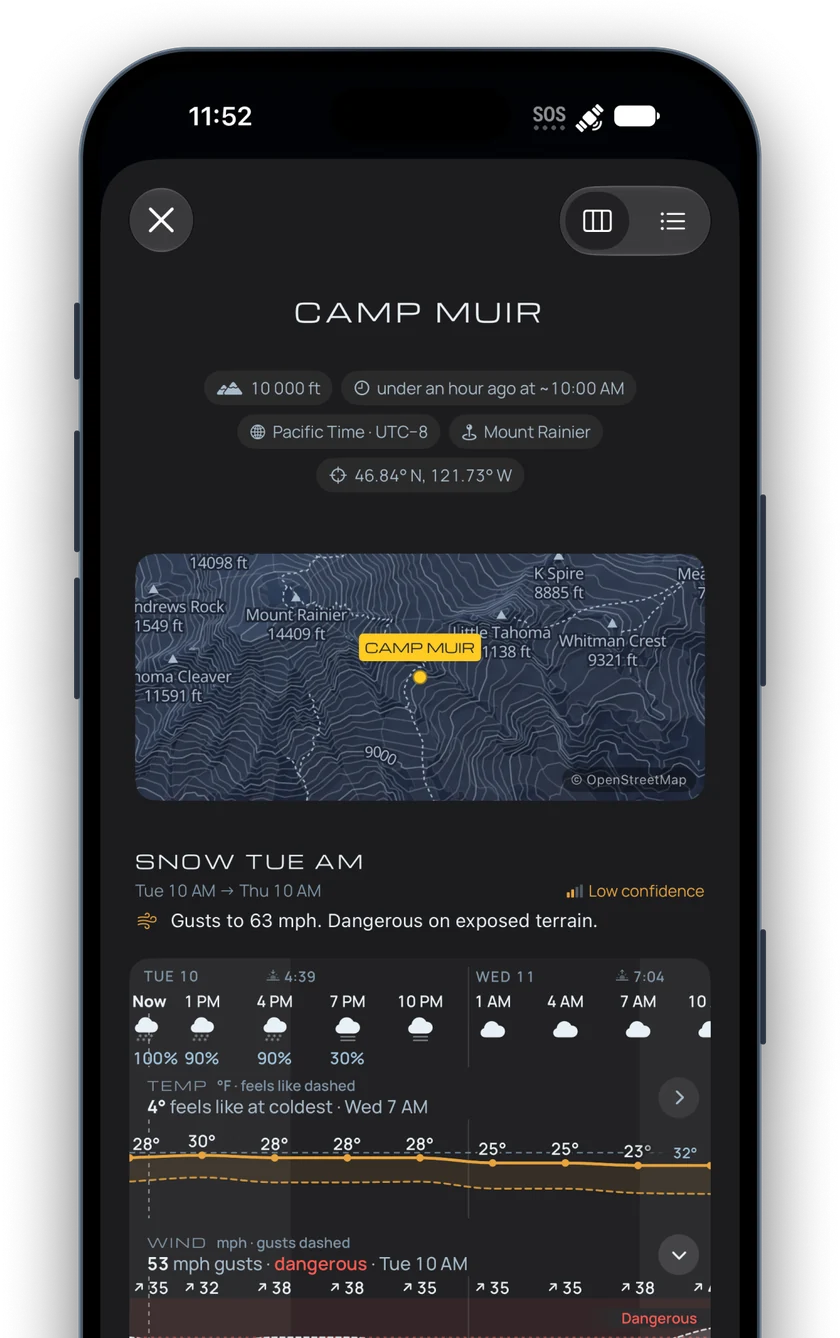
Read it with no signal.
Indra Connect decodes each reply on your iPhone, in your units, and keeps it in your history.
On iPhone, a Shortcuts automation can decode replies as they arrive and show the forecast in a notification.
What’s in a forecastWorks with what you carry
Indra pairs with iPhone, Garmin inReach and ZOLEO on US and Canadian numbers.
iPhone
Messages via satellite on iPhone 14 or later. The phone that sends the request also reads the reply.
Set up an iPhoneGarmin inReach
Send the request from your inReach, then copy the reply into the app on your iPhone.
Set up an inReachWhere the weather comes from
Open-Meteo
Indra requests a forecast for your coordinates from Open-Meteo, which draws on the weather models run by national weather services.
Official warnings
For places in the United States, every reply includes the National Weather Service watches and warnings in force there. They come with every plan.
Questions
What does it cost?
Indra Connect is free to download and includes one forecast a day. Indra Pro gives you unlimited forecasts for $7.99 a month or $44.99 a year. See pricing
Is Indra an emergency service?
No. Indra can’t call for help, and nobody watches your messages or your position. Carry a device with SOS.
Do I need cell signal or data?
You need a connection once, to create your account and pair your device. After that, requests and replies are ordinary text messages, sent over satellite by your iPhone, Garmin inReach or ZOLEO. The app decodes them on your phone with no connection.
Will Indra text me first?
Indra only replies to messages your device sends. The one other text is the code that confirms a device when you pair it.
Can I ask for a place by name?
Requests use coordinates. In the app you choose a waypoint by name, and Indra Connect fills in its coordinates for you.
What if a message arrives damaged?
Each block of a reply carries its own check. If a block is damaged, the app shows a gap from that point on and keeps everything before it. The app also tells you when a reply was shortened to fit one message.
How long does a reply take?
Indra answers within seconds of receiving your text. Delivery then depends on the satellite network. A ZOLEO checks for messages every 12 minutes, and an iPhone receives while it’s pointed at the sky.
How many requests can I send?
Indra answers 10 requests in a row, then one every 10 minutes. On the free plan, one forecast a day is included.
Where is Indra available?
Indra Connect is on the App Store in the United States, and devices pair with US and Canadian numbers. Forecasts cover anywhere in the world.
Coming to the App Store.
Leave your email and we’ll tell you when you can download Indra Connect.
Get Indra Connect.
Free on the App Store, with one forecast a day.
Indra is an informational weather service, not an emergency or SOS service. It cannot summon help, nobody monitors your messages or position, forecasts are predictions, and satellite delivery is best-effort. Never make life-threatening decisions based on the information Indra provides. Carry a device with SOS, and make your own decisions in the field.
Updated 11 November 2026